
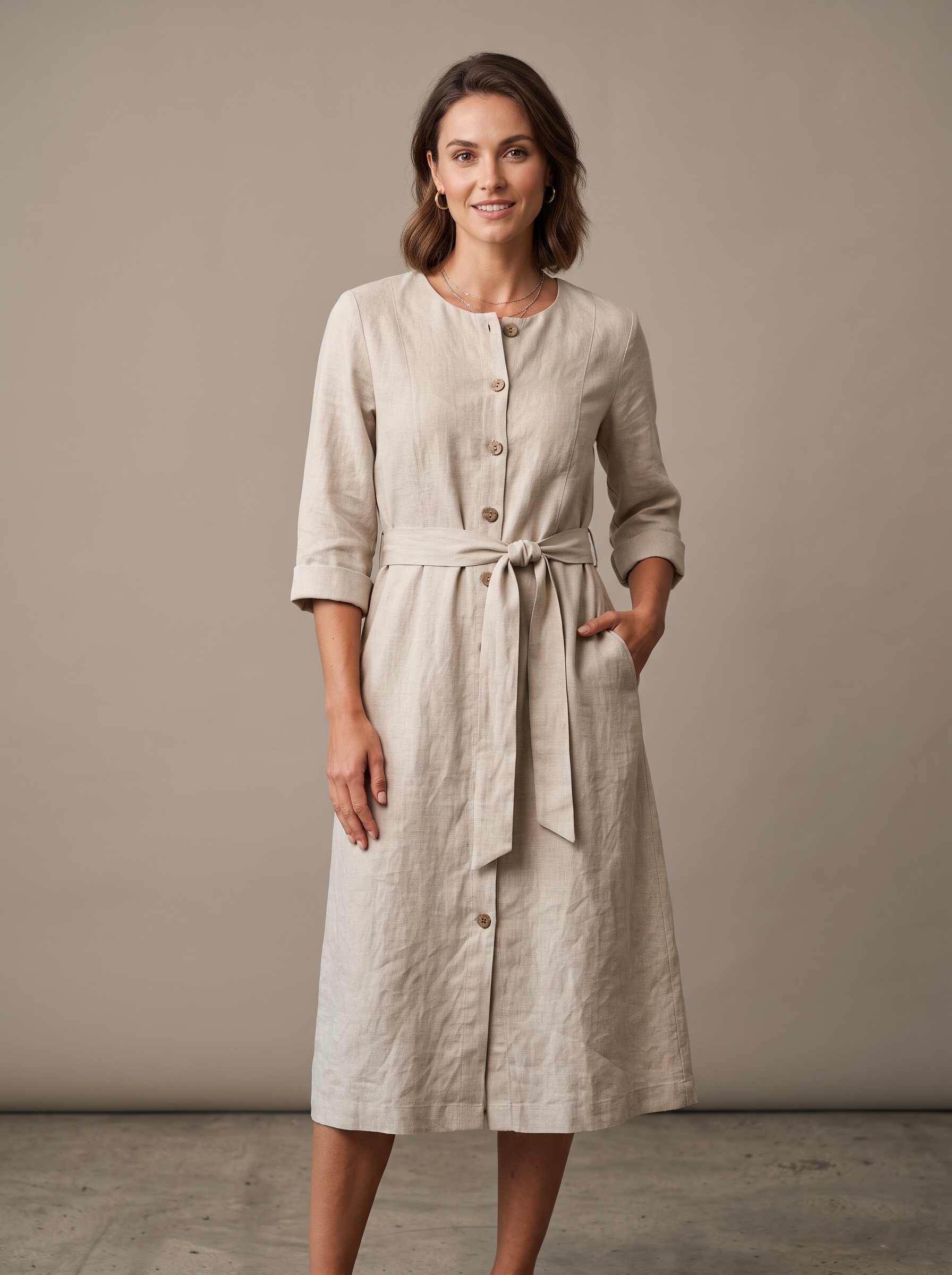
FlixStock Catalog Production — Standardized Shopify Apparel PDP Hero Asset
Catalog operators and Shopify store managers frequently struggle with uneven collection grids when supplier and studio images arrive in mixed aspect ratios. Standard center-cropping destroys garment framing, while manual padding creates messy white space that lowers conversion. This guide examines how to standardize your shopify apparel image aspect ratio using automated canvas extension.
- Why inconsistent image aspect ratios break Shopify apparel collection grids and depress conversion rates.
- Evaluating the best image aspect ratio for shopify clothing store catalogs: 3:4 portrait versus 1:1 square.
- Smart cropping versus canvas extension: how to standardize images without truncating collars or footwear.
- Automated batch workflows for bulk resizing product photos and aligning Shopify collection grids seamlessly.
Standardizing your shopify apparel image aspect ratio is essential for maintaining a clean, professional online storefront. When fashion merchants import multi-vendor catalog assets, supplier photos frequently arrive in randomized dimensions, orientations, and padding ratios. Without a reliable Shopify collection grid image alignment solution, category pages look disjointed and unprofessional. Shoppers browsing apparel collections expect visual harmony across every thumbnail and product detail page (PDP), making aspect ratio standardization a critical operational priority for growing fashion e-commerce brands.
Why do inconsistent image aspect ratios break Shopify apparel collection grids?
Collection page visual hierarchy relies heavily on uniform image containers. When a Shopify clothing store uploads a mixture of square 1:1 lookbook shots, tall 3:4 portrait studio images, and wide landscape supplier photos, the default theme grid struggles to align containers properly. Images jump up and down, product titles misalign, and white space balloons unevenly around smaller garments.
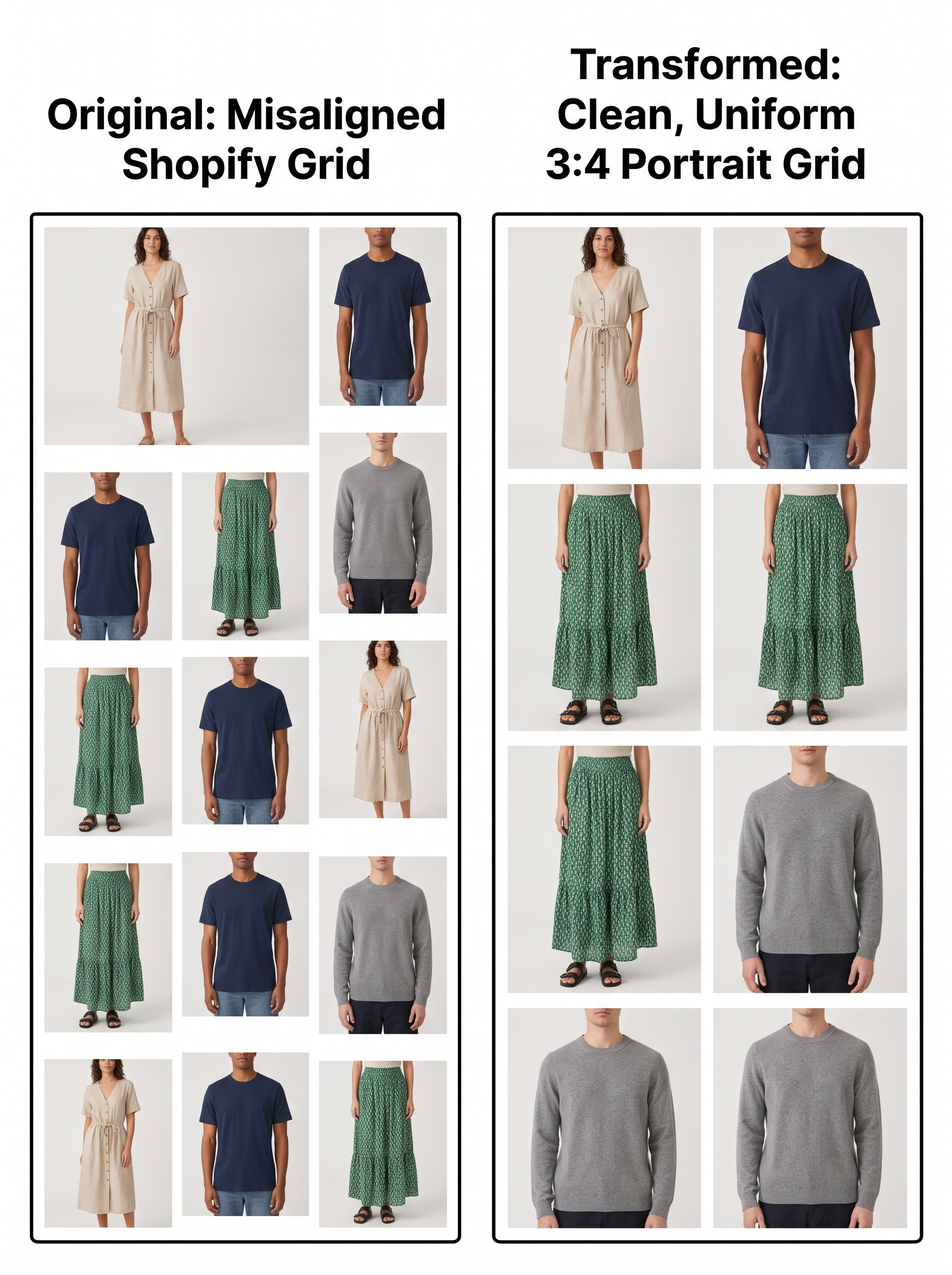
This visual chaos frustrates shoppers and disrupts the browsing experience. When customers cannot easily scan product thumbnails because focal points shift erratically across the grid, bounce rates increase and add-to-cart conversions drop. Establishing a rigorous catalog standard eliminates these layout fractures and projects a polished brand identity.
Selecting the optimal aspect ratio for fashion products: 3:4 portrait vs 1:1 square
Choosing the best image aspect ratio for shopify clothing store operations depends on your brand's editorial style and mobile traffic patterns. The two dominant standards in fashion e-commerce are 1:1 square and 3:4 portrait. Square images offer universal compatibility across legacy marketplace feeds, but portrait ratios provide significantly more vertical screen estate on mobile devices where over 70% of apparel shopping occurs.
- 3:4 Portrait Ratio: The industry gold standard for apparel PDPs and mobile-first collection grids. It accommodates full-length on-model photography naturally without cropping off footwear or hats.
- 1:1 Square Ratio: A compact, traditional format that works well for tight grid layouts and multi-channel marketplace syndication (such as Amazon or Meta catalog feeds).
- 4:5 Vertical Ratio: Popular for social commerce and high-end editorial lookbooks, though requiring specialized theme container adjustments on Shopify.
Evaluating your catalog composition helps determine whether a 3:4 or 1:1 layout best showcases your garment silhouettes, fabric draping, and model styling.
What distinguishes smart cropping from canvas extension for standardizing images?
A common mistake when attempting to bulk resize product photos for shopify is relying on basic, automated center-crop tools. Destructive cropping algorithms simply chop off the top and bottom or left and right edges of an image to force it into a rigid container. In fashion photography, this often results in headless models, severed footwear, or truncated jacket hems.
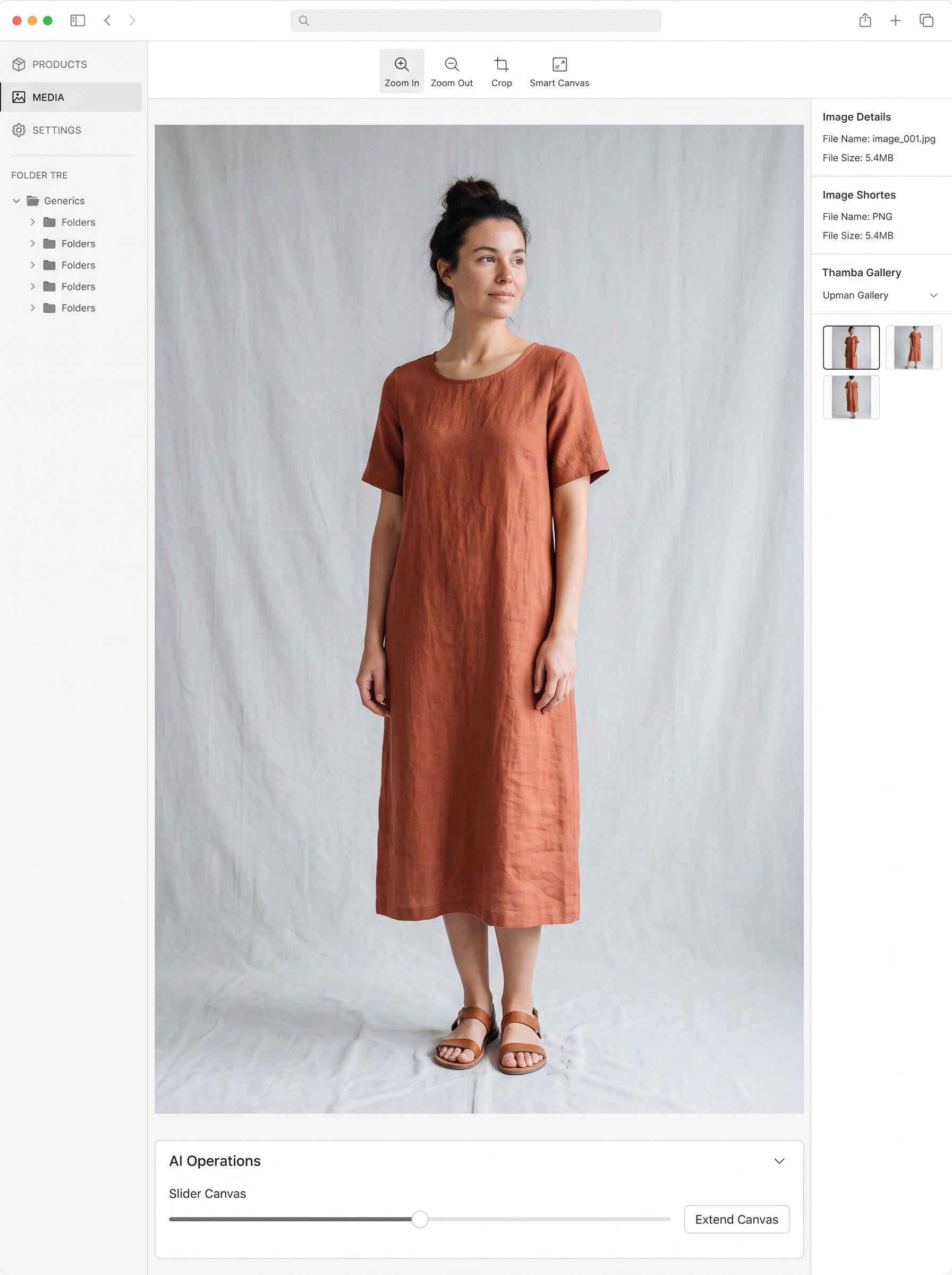
Instead of destructive cropping, advanced catalog teams utilize intelligent canvas expansion and background padding. By analyzing the garment bounding box and re-anchoring the focal point, visual engines expand the canvas boundaries symmetrically to meet the desired aspect ratio without altering a single pixel of the garment itself. This preserves 100% of the clothing's geometry and maintains professional framing.
Automated batch workflows for standardizing product image dimensions across large Shopify catalogs
Manually opening thousands of SKUs in photo editing software to resize, pad, and export catalog assets is unsustainable for growing apparel brands launching frequent seasonal drops. Implementing an automated batch workflow for Shopify product image aspect ratio 3:4 vs 1:1 conversion transforms operational efficiency.
Modern visual content supply chains integrate directly with Shopify stores and PIM platforms. When new product shots arrive from photography studios or suppliers, the system automatically detects orientation, applies intelligent background neutralisation, extends the canvas to the designated aspect ratio, and exports optimized WebP assets directly to your store's CDN.
| Method | Garment Preservation | Grid Visual Alignment | Operational Speed |
|---|---|---|---|
| Manual Photoshop Batch Resize | Moderate (Risk of clipping) | High (If manual checks succeed) | Low (Weeks of labor) |
| Destructive Center Cropping | Poor (Clips garments & models) | High | Fast |
| AI Smart Canvas Expansion | 100% Preserved (No clipping) | Flawless | Automated / Instantaneous |
Best practices for Shopify collection grid image alignment solutions
To ensure your Shopify storefront maintains pristine visual consistency, adopt these operational best practices:
- Define a Single Standard: Commit to either 3:4 portrait or 1:1 square across your entire catalog rather than mixing ratios per category.
- Standardize Anchor Points: Ensure model height, eye level, and garment placement remain uniform across color variants of the same SKU.
- Optimize File Formats: Use compressed WebP files with standardized pixel resolutions (e.g., 1500x2000 for 3:4) to guarantee lightning-fast page load speeds.
- Pre-Flight Audit: Run automated visual compliance checks before publishing new collections to catch padding anomalies or background discoloration early.