

In this article
- Exact technical dimensions and aspect ratio requirements for ASOS Marketplace apparel listings.
- How to crop, pad, and frame garment photos to meet rigorous marketplace compliance standards.
- Common visual presentation mistakes and lighting inconsistencies that trigger catalog rejections.
- Scaling base product assets across multiple channels using automated visual workflows.
Catalog teams and fashion sellers launching on ASOS Marketplace frequently face listing delays or rejected uploads due to strict visual requirements. Standardizing aspect ratios, padding, model framing, and background specs across hundreds of garment SKUs manually requires extensive studio reshoots or retouches. This guide outlines the exact technical and visual image specifications required for listing apparel on ASOS Marketplace, explaining how to format aspect ratios, background framing, and model shots for rapid catalog approval. Written for e-commerce leads, marketplace operators, and studio managers prepping apparel image catalogs for ASOS listing compliance, this comprehensive manual details how to achieve marketplace-ready assets without redundant studio overhead.
Operating a high-volume fashion catalog across multiple online channels demands rigorous adherence to platform-specific visual guidelines. When expanding into digital marketplaces such as ASOS, merchants quickly discover that standard direct-to-consumer packshots rarely satisfy rigorous marketplace gating criteria. Background coloration, drop shadow intensity, framing margins, and model posture must align precisely with platform specifications to avoid automated rejections. By understanding these technical prerequisites, catalog managers can streamline their visual workflows, eliminate costly bottlenecks, and ensure every garment listing goes live without friction.
Furthermore, maintaining asset consistency across seasonal collections requires robust digital infrastructure. Traditional photography pipelines often break down under the weight of thousands of SKUs requiring distinct marketplace resizing. Automated visual engines bridge this gap by transforming master product files into fully compliant channel assets instantly, preserving garment color accuracy and fabric texture fidelity across every published thumbnail.

What are the core ASOS Marketplace product image specifications and dimensions?
ASOS Marketplace requires high-resolution product imagery adhering to strict aspect ratio and pixel dimension standards to ensure uniform grid presentation across desktop and mobile storefronts. Sellers must provide clean, unwatermarked visual assets that accurately represent garment color, texture, and fit without distortion. Understanding the precise asos marketplace image ratio and resolution parameters prevents automated upload errors and ensures optimal zoom performance for prospective buyers.
Files must be delivered in high-quality sRGB color space, typically formatted as JPEGs or PNGs with lossless compression where possible. Adhering to defined minimum pixel dimensions guarantees that product details remain sharp when users engage the platform's high-magnification zoom tools. Catalog managers should audit their master image repository against these exact pixel thresholds prior to initiating bulk uploads.
In addition to raw pixel resolution, aspect ratio consistency remains paramount. When listing apparel items, a vertical portrait ratio ensures that garments occupy the optimal visual footprint within marketplace category grids, enhancing visual merchandising appeal and driving higher click-through rates.
How should garment photos be cropped, padded, and framed for ASOS listing standards?
Proper cropping, consistent padding, and precise model framing are vital for passing automated marketplace quality gates and avoiding awkward thumbnail clipping. Every apparel photo must center the garment within defined boundary margins while maintaining natural drape and proportions. Following established asos marketplace product photo guidelines eliminates inconsistent positioning across multi-SKU catalog drops.
- Maintain consistent negative space around the garment or model across all views.
- Ensure vertical alignment centers the waist and torso uniformly across front, back, and side shots.
- Avoid tight edge clipping that cuts off garment hems or footwear in thumbnail displays.
Executing these framing adjustments manually for thousands of items is notoriously labor-intensive. Modern visual automation platforms apply intelligent bounding box algorithms to detect garment silhouettes and apply uniform padding dynamically, ensuring every asset complies with ASOS framing rules without human error.

Why do marketplace catalog teams experience common visual rejection errors?
Catalog rejections on ASOS Marketplace typically stem from non-compliant background tones, heavy drop shadows, inconsistent lighting, or watermarked imagery that violates platform guidelines. Identifying these asos listing photo rejection causes early prevents prolonged listing delays and batch upload failures.
| Rejection Cause | Primary Trigger | Corrective Action |
|---|---|---|
| Non-Neutral Backgrounds | Off-white, textured, or tinted studio drops | Standardize background to pure white or approved neutral gray |
| Heavy Drop Shadows | Harsh directional floor shadows under garment | Apply clean shadow removal or shadow softening in post-production |
| Watermarks & Logos | Embedded promotional badges or brand text | Remove all overlay text and badges from primary gallery images |
Eliminating these common rejection vectors requires implementing strict internal quality control checklists before pushing assets to production environments. Automated background isolation and shadow normalization tools can sanitize entire product batches in minutes.
Ensuring base product photos meet platform requirements at scale
Transforming base studio packshots or flat lays into fully compliant ASOS marketplace assets at scale requires standardized batch processing and intelligent background adaptation. Rather than executing complete studio reshoots for every new channel expansion, brands can leverage automated visual workflows to adapt image framing, padding, and background specifications instantly.
When figuring out how to format apparel photos for asos marketplace without repeating costly physical shoots, operational teams rely on automated asset transformation pipelines that map existing master product files into channel-specific templates.
This automated approach guarantees that fabric textures, shadow definitions, and color profiles remain identical to the original physical sample while perfectly satisfying the rigid technical constraints mandated by marketplace compliance officers.
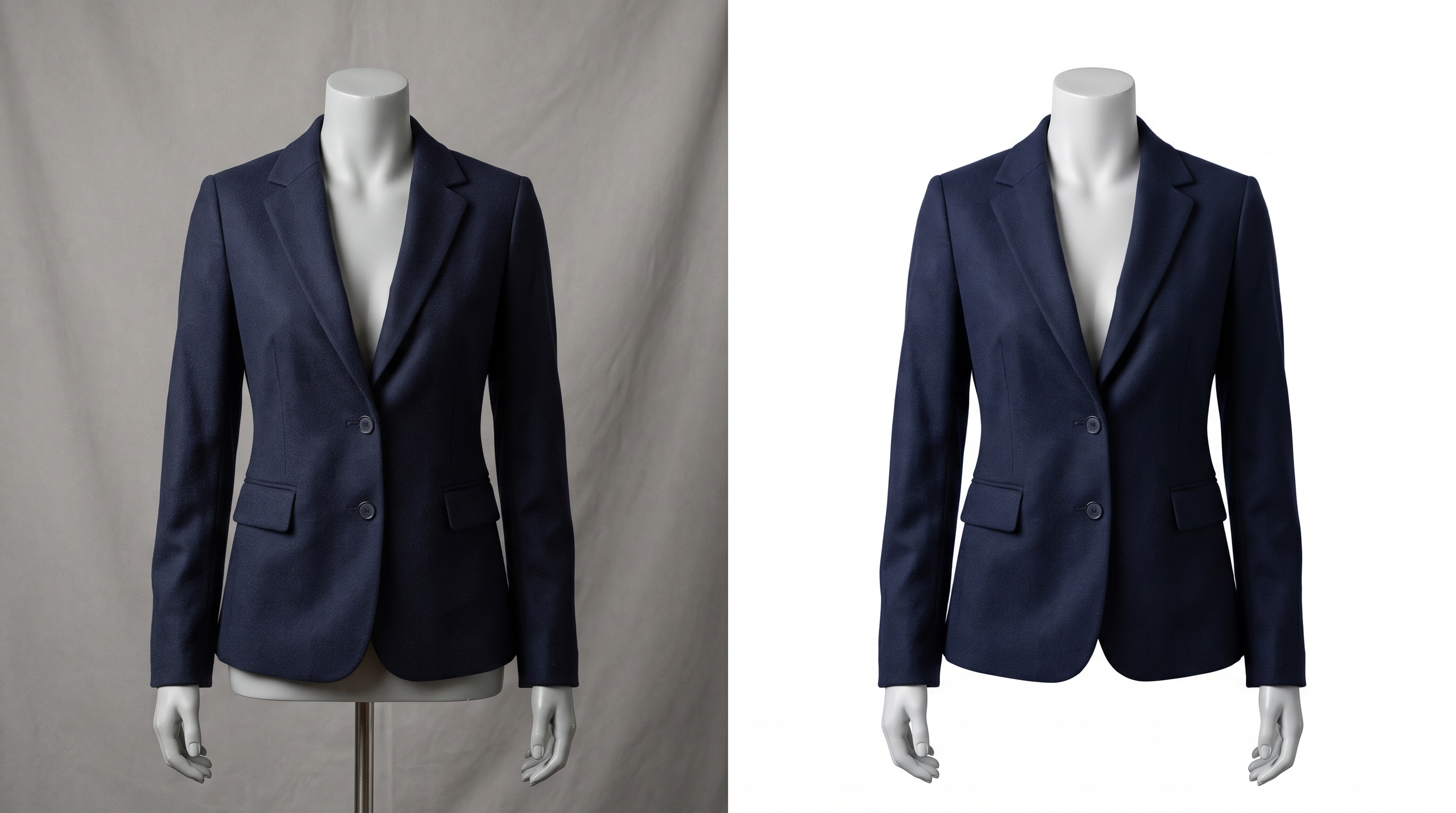
Scaling multi-channel compliance without redundant studio reshoots
Expanding an apparel catalog across ASOS, Amazon, Zalando, and D2C storefronts does not require commissioning separate studio shoots for each channel's distinct framing rules. By utilizing a centralized visual content engine, brands can transform a single master product photo or tech pack into channel-compliant assets while preserving absolute garment consistency. Correcting the common misconception that sellers must execute complete studio reshoots whenever expanding to a new marketplace allows lean catalog teams to launch new seasonal drops with zero downtime.
Ultimately, visual supply chain agility separates market leaders from stagnant competitors. By decoupling asset creation from physical studio constraints, fashion brands can test new marketplace channels rapidly and capture consumer demand wherever it emerges.