
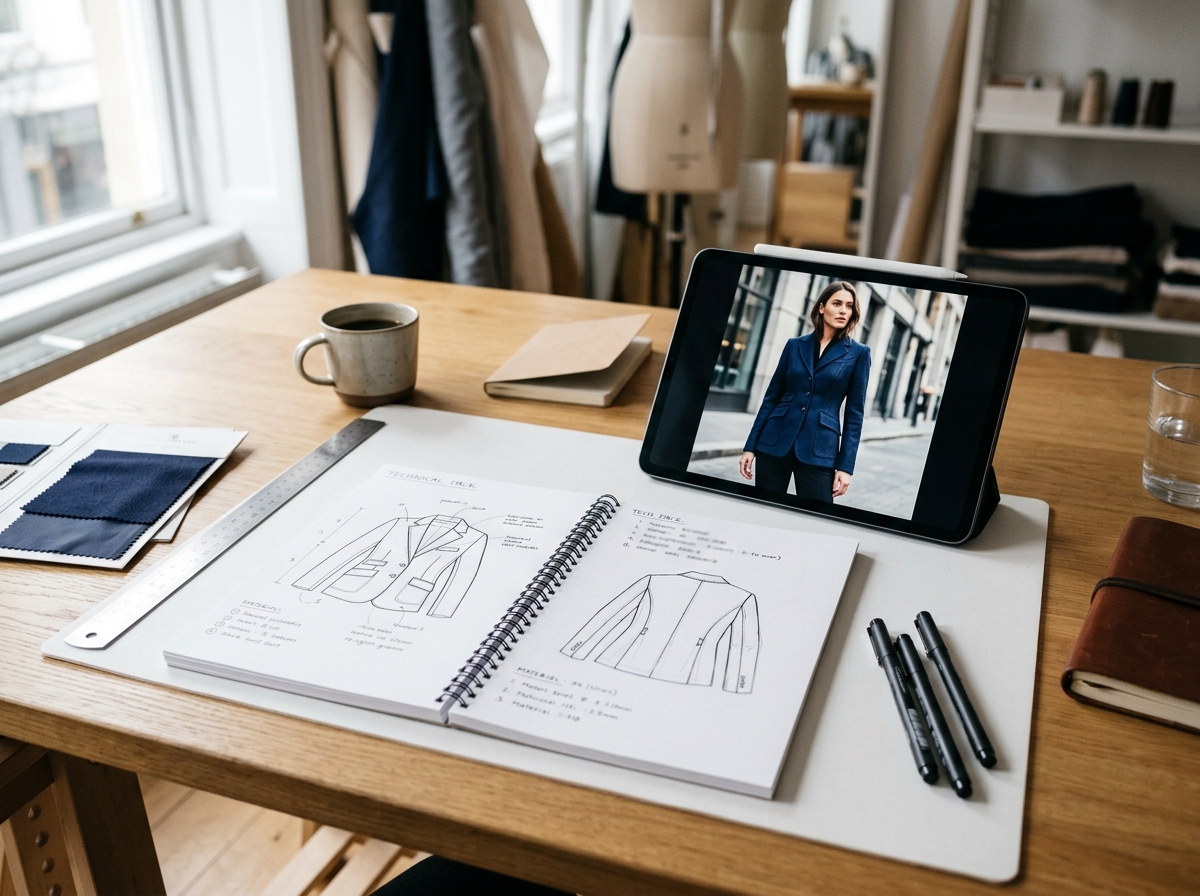
This article explains how fashion brands can move from design files to high-quality product visuals without producing a physical sample. It is for ecommerce, catalog, and merchandising teams who need to create consistent, on-brand imagery for new collections quickly.
- Understand the role of a tech pack in virtual photography.
- Explore the benefits of generating images from design files.
- Learn how AI transforms technical specs into photorealistic visuals.
- Ensure brand consistency across digitally-generated assets.
Can you create high-quality fashion product images without a physical garment? Yes—by using the technical design files you already have. For brands that need to launch collections faster, generating photorealistic imagery directly from a tech pack or CAD file is the most efficient way to build a full set of product visuals before the first sample is even produced.
The Strategic Role of a Fashion Tech Pack
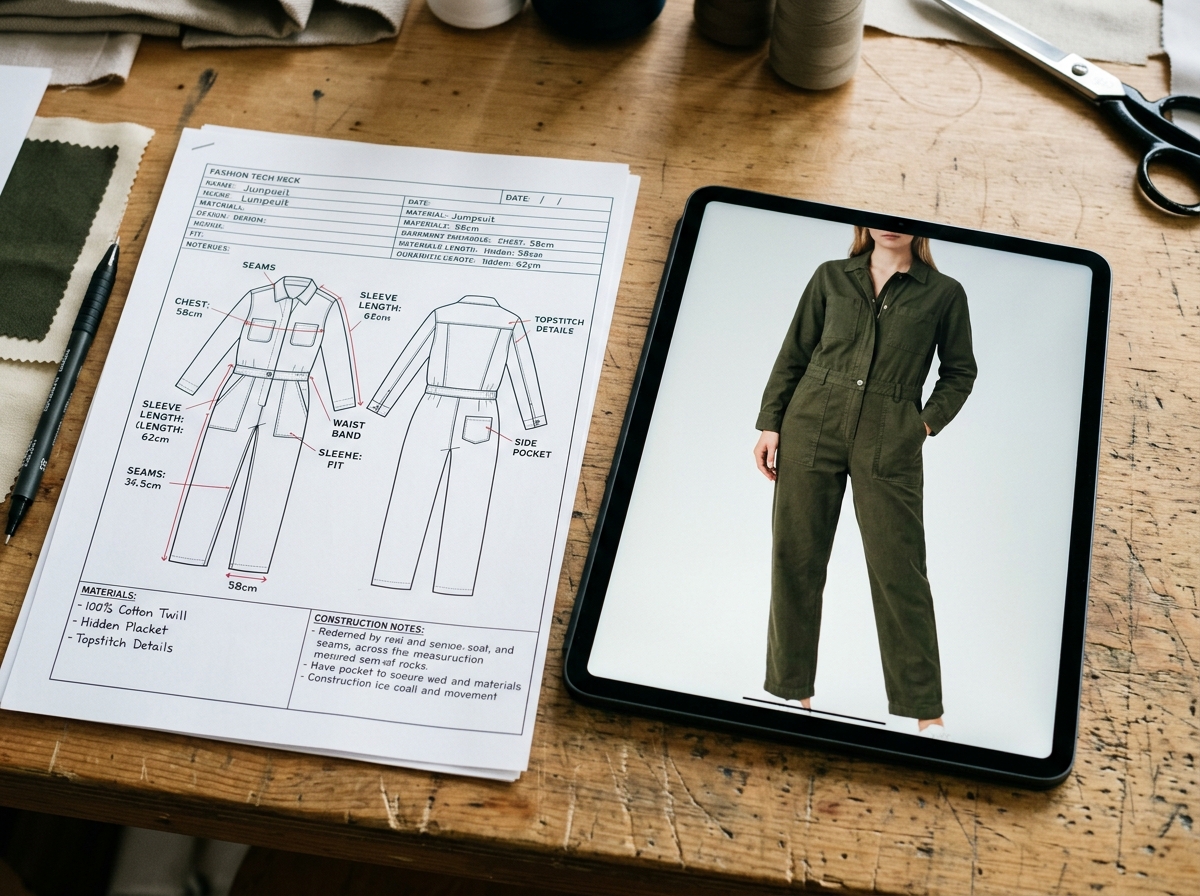
A fashion tech pack (technical pack) is the master blueprint for a garment. It's a comprehensive document created by a designer or technical designer that provides a manufacturer with all the necessary specifications to produce a piece of clothing accurately. Think of it as a detailed instruction manual that leaves no room for error.
A complete tech pack typically includes:
- Technical Sketches: Flat, two-dimensional drawings of the garment from the front, back, and side views.
- Bill of Materials (BOM): A list of all raw materials needed, such as fabric, trims, threads, buttons, and zippers.
- Points of Measure (POM): A measurement chart that specifies the exact dimensions for all parts of the garment across different sizes.
- Construction Details: Instructions on how the garment should be stitched and assembled, including seam types and stitch density.
- Color and Artwork Information: Details on color standards (like Pantone codes), prints, and embroidery placements.
Without a precise tech pack, manufacturers are left to guess, leading to inconsistent samples and costly production delays. This same precision makes the tech pack the ideal input for generating accurate digital product images.
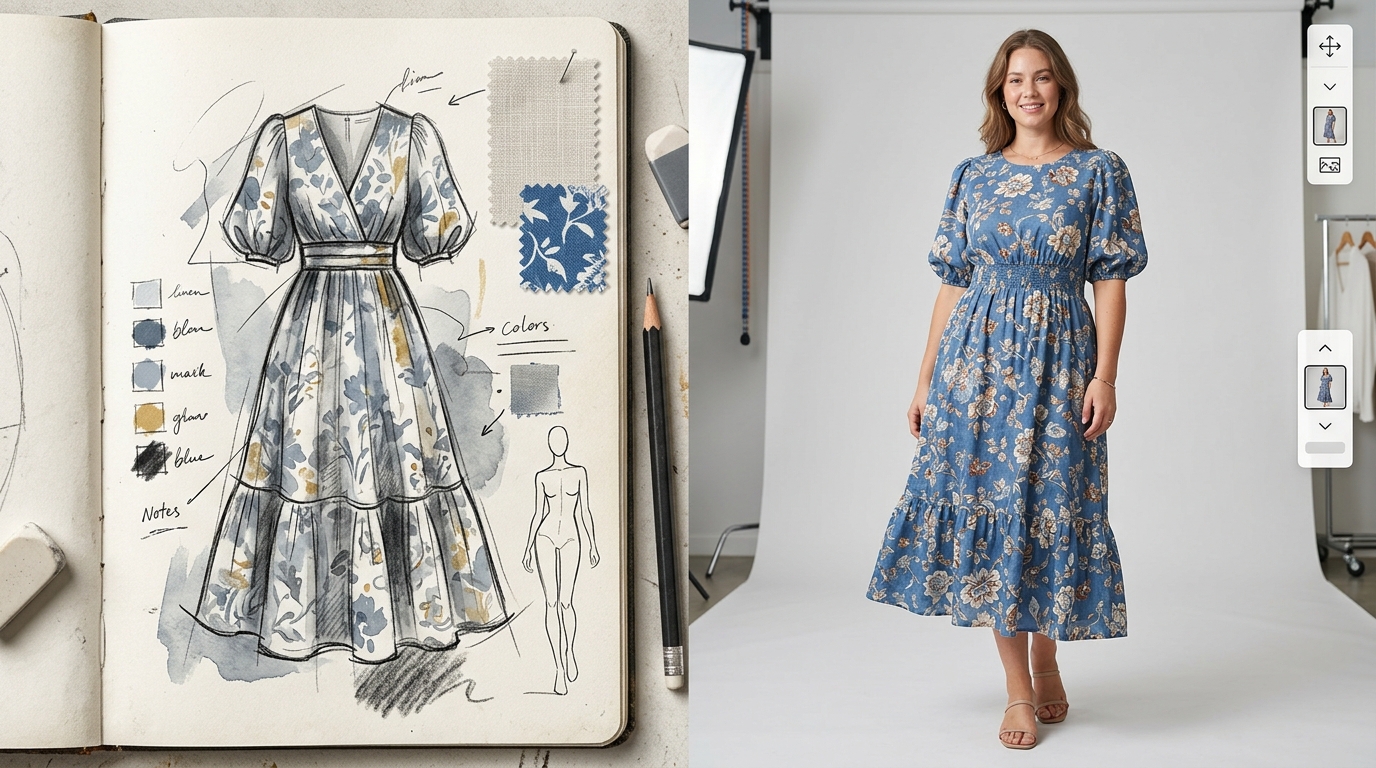
Why Design Sketches Aren't Suitable for Product Pages
Design sketches, while essential for conceptualizing a collection, are not suitable for e-commerce or marketing. They are artistic representations, not commercial assets. Using them on a product page creates a disconnect for the shopper, as they fail to communicate the three things a customer needs to see: fit, fabric, and feel.
| Element | Design Sketch | Photorealistic Product Image |
|---|---|---|
| Purpose | Convey an idea or mood | Showcase a real product for sale |
| Detail | Artistic, often lacks precise detail | Shows exact fabric texture, drape, and color |
| Customer Trust | Low; looks unprofessional and unfinished | High; allows customers to visualize the actual item |
Sketches can't show how a fabric will drape on the body or how a color will look under standard lighting. Photorealistic images build buyer confidence and are essential for converting interest into sales. According to a Retail Technology Review (2022) study, 75% of online shoppers rely on product photos when deciding on a potential purchase.
How AI Generates Photorealistic Images from Tech Packs
AI-powered visual content platforms act as digital translators, converting the technical data in a tech pack into rich, photorealistic imagery. The process interprets the same specifications a factory would use, but for a virtual environment.
- Data Ingestion: The system ingests the tech pack, CAD file, or 3D model. It parses the flat sketches, measurement points, fabric types, and construction details.
- Virtual Garment Creation: Using this data, the AI constructs a digital 3D model of the garment. It applies the specified fabric properties to simulate realistic drape, texture, and light interaction.
- Model and Pose Application: The virtual garment is then placed on a digital model. The brand can select from a library of models, poses, and styling options to match its aesthetic and target audience.
- Scene and Lighting Rendering: The platform renders the final scene with photorealistic lighting that mimics a professional studio setup, ensuring the output looks like a high-quality photoshoot image.
- Quality Control: The generated images are reviewed for accuracy against the tech pack to ensure details like seam placement and fit are correctly represented.
This automated workflow allows brands to produce a complete set of on-model, ghost mannequin, and flat-lay images that are consistent in quality and style, directly from the design phase.
Key Benefits of Virtual Product Photography
Moving from physical photoshoots to a digital-first image creation process offers significant strategic advantages. It's not just about cost savings; it's about speed, flexibility, and market responsiveness.
- Speed to Market: Generate marketing and e-commerce images weeks or even months before physical samples are ready. This enables brands to run pre-order campaigns and gauge interest early.
- Reduced Costs: Eliminating the need for physical samples, studio rentals, photographers, and models dramatically cuts the cost per image, especially for brands with large catalogs.
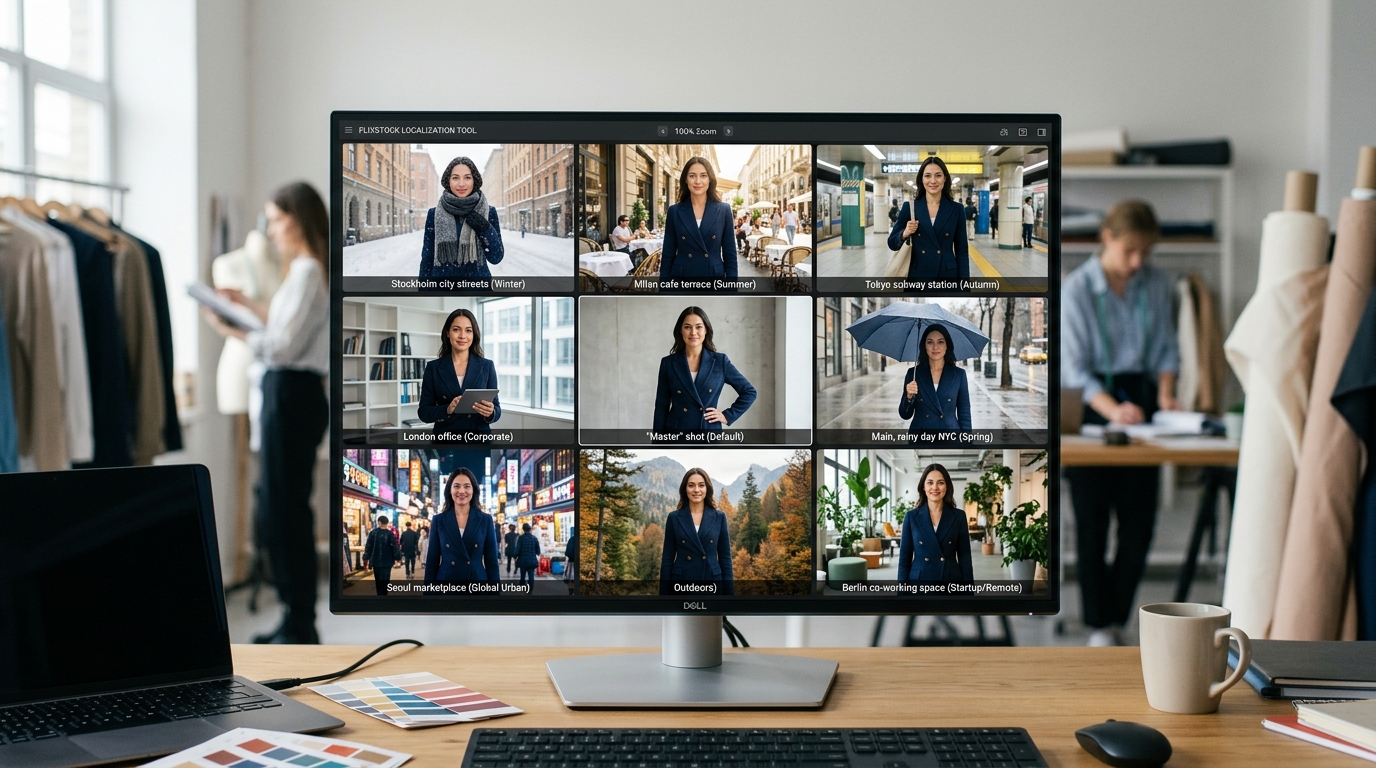
- Scalability and Consistency: Create thousands of variants for different markets, seasons, and channels while maintaining perfect consistency in lighting, model posing, and brand aesthetic.
- Sustainability: Reducing the production and shipping of physical samples for photography purposes lowers a brand's carbon footprint.
Integrating Virtual Photography into Your Workflow
Adopting a digital-first approach to product imagery doesn't require a complete overhaul of your existing creative processes. Instead, it can be integrated as a powerful tool that complements your team's skills. The process typically begins with a pilot project, where a small selection of products is run through the virtual photography pipeline. This allows your team to understand the inputs required, the creative possibilities, and the quality of the final assets. Once the value is proven, the process can be scaled across entire collections. This phased approach minimizes disruption and ensures a smooth transition to a more efficient and scalable visual content strategy.
Can FlixStock Turn Design Files into a Visual Supply Chain?
FlixStock's visual content engine is designed to integrate directly into the fashion production lifecycle. By using a tech pack or a single product photo as input, our platform builds a scalable, on-demand visual supply chain. We transform your design files into a complete set of production-ready assets—from on-model PDP imagery to ghost mannequins and marketing visuals—ensuring every product is represented perfectly across every channel, without the logistical overhead of traditional photoshoots. This allows your team to focus on creative strategy, not sample management.
Common Pitfalls to Avoid When Generating Images
While generating product images from tech packs offers immense benefits, there are potential pitfalls that can compromise the quality and effectiveness of your visuals. Awareness of these common issues can help brands streamline their digital production process and achieve better results, ensuring that the final images are not only beautiful but also commercially effective.
- Incomplete or Vague Tech Packs: The quality of the output is directly dependent on the quality of the input. A tech pack that lacks detail on fabric type, stitching, or measurements will result in generic or inaccurate digital garments. This can lead to images that don't truly represent the final product, potentially misleading customers. Ensure your tech packs are complete and validated before submitting them for image generation, including specifics like fabric weight and trim materials.
- Ignoring Fabric Properties: Not all fabrics are created equal. A digital model that doesn't account for the specific weight, texture, and drape of a fabric (e.g., silk versus denim) will look unrealistic. This is a common issue that can make digitally generated images look artificial. It's crucial that the AI platform can accurately simulate the properties of the materials listed in your Bill of Materials to achieve a photorealistic result.
- Inconsistent Model and Styling Choices: Without clear brand guidelines, it's easy to end up with a disjointed set of images that feel off-brand. Selecting different models, poses, or styling for similar products can confuse customers and weaken brand identity. Establish and adhere to a digital style guide from the outset to maintain a cohesive and professional look across your entire catalog.
- Overlooking Post-Production: Even digitally generated images may require minor adjustments to achieve perfection. Issues like unnatural shadows, incorrect color calibration, or awkward model poses can sometimes occur. A final quality control step by a human eye is often necessary to ensure every image is polished and ready before it goes live on your product page. This step should not be skipped, as it is the final check on brand consistency.
- Neglecting Channel-Specific Requirements: Different e-commerce platforms and marketplaces have unique requirements for product images, such as resolution, background color, and aspect ratio. Failing to account for these can result in rejected images and delayed listings. Ensure your image generation process can produce assets tailored to the specifications of each channel you sell on.
Future Trends in Fashion Imagery
The practice of generating product visuals from design files is continually evolving. As AI and 3D technologies mature, they are unlocking new possibilities for fashion brands to create more engaging and effective e-commerce experiences. Staying aware of these trends can provide a competitive edge in a crowded market.
- Interactive 3D and AR Try-Ons: The 3D models created from tech packs are not just for static images. They can be used to create interactive 360-degree viewers on product pages or even integrated into augmented reality (AR) applications that allow customers to "try on" garments virtually using their smartphone cameras. This immersive experience can significantly reduce return rates by improving size and fit comprehension.
- AI-Powered Styling and Personalization: Future platforms will likely offer more advanced AI-powered styling suggestions. Imagine a system that can automatically generate on-model images showing a product styled according to a customer's personal taste, location, or even the weather. This level of personalization can create a highly engaging and relevant shopping experience, driving higher conversion rates.
- Real-Time Trend Responsiveness: The speed of digital image creation allows brands to react to micro-trends almost in real-time. If a particular color or style suddenly becomes popular on social media, brands can generate new product images reflecting that trend within hours, without needing to produce new samples or organize a photoshoot. This agility is a significant advantage in the fast-paced world of fashion.
- Integration with Virtual Worlds and the Metaverse: As virtual worlds and the metaverse become more mainstream, digital garments will become valuable assets. The 3D models generated from your tech packs could be sold or used as digital fashion items, opening up entirely new revenue streams and marketing channels for your brand.
A Final Checklist for Success
To ensure a successful transition to generating product images from tech packs, it's helpful to have a checklist that guides your team. This ensures that all necessary steps are taken and that the final output meets your brand's standards. Before starting a new project, confirm that you have a complete and validated tech pack, a clear digital style guide, and a process for quality control. This preparation will help you to avoid common pitfalls and to produce high-quality, on-brand images that drive sales and enhance your customer's shopping experience.
Maintaining Brand Consistency with Generated Images
Maintaining a consistent brand image is paramount, and a digital workflow offers more control than traditional methods. Brand consistency is achieved by defining a set of "digital brand guidelines" within the image generation platform.
These guidelines can include:
- Model Selection: Pre-selecting a specific set of on-brand AI models to be used across all product images.
- Styling Rules: Defining standard styling pairings (e.g., which tops to pair with certain bottoms) to ensure a cohesive look.
- Lighting and Backgrounds: Using a consistent digital studio setup with the same lighting and background colors for every shot.
- Pose Standards: Establishing a core set of poses that align with the brand's attitude and tone.
By locking in these parameters, every image generated—whether today or next season—adheres to the same high standards, creating a seamless and professional customer experience on your product pages.