

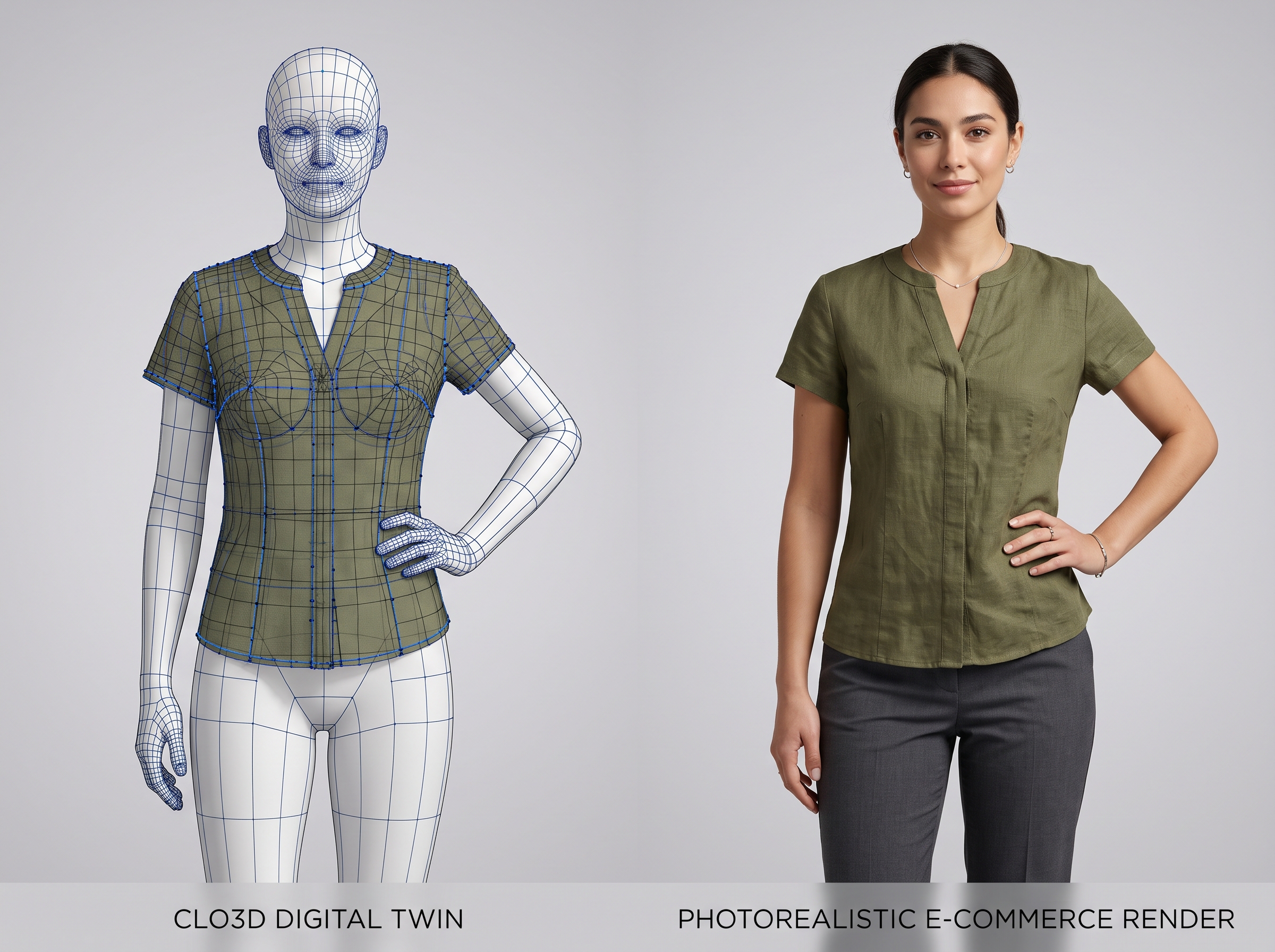
Brands creating digital apparel samples in 3D CAD platforms struggle to publish those simulations directly to e-commerce product pages without spending hours per SKU on complex rendering passes or booking physical sample shoots. Catalog teams need a streamlined visual workflow that turns raw 3D digital twins into production-ready on-model imagery at scale.
- Bridge CLO3D and VStitcher digital twin design tools directly with e-commerce PDP publishing pipelines.
- Eliminate tedious multi-hour rendering passes and expensive physical sample photoshoots for every SKU.
- Standardize fabric texture, drape physics, and studio lighting consistency across global web catalogs.
- Explore how FlixStock automates 3D-to-PDP asset conversion at enterprise scale.
How do catalog teams transform raw 3D digital twins into production-ready e-commerce imagery without rebuilding every simulation from scratch? To bridge 3D garment simulation to ecommerce product page workflow requirements, visual operations teams must convert CAD files into standardized web assets while preserving fabric drape, surface texture, and consistent model lighting. According to Coresight Research (2024), over 65% of apparel brands now utilize 3D design software during product development, yet fewer than 15% successfully publish those digital simulations directly to their online storefronts without extensive manual touch-ups.
Why traditional 3D rendering creates a bottleneck for e-commerce catalogs?
Raw 3D garment files generated in platforms like CLO3D or VStitcher are engineered for physical prototyping and virtual fitting, not immediate web publication. When design teams attempt to export CAD simulations for product detail pages (PDPs), they encounter significant technical friction. Standard rendering engines require complex shader adjustments, high-poly mesh reduction, and manual lighting setups to match studio photography standards.
Furthermore, each SKU demands multiple colorways, poses, and marketplace crop ratios. Spending two to four hours per SKU on manual rendering passes destroys the speed-to-market advantage that 3D design was supposed to provide in the first place. Catalog managers find themselves bogged down between engineering-grade wireframes and commercial web requirements.
Mapping 3D garment simulation parameters to PDP lighting and model specs

Successful asset transformation begins with systematic parameter mapping. A robust clo3d to ecommerce visual asset pipeline translates physical fabric properties—such as bending stiffness, weight, and friction—into web-optimized material shaders that react accurately to standardized studio lighting rigs.
When aligning digital twins with on-model specifications, the rendering pipeline must preserve the exact silhouette established by the pattern maker. By decoupling the garment simulation data from the avatar geometry, brands can project CAD-accurate drapes onto diverse, brand-aligned virtual models without recalculating cloth physics for every size or pose.
Step-by-step workflow for converting CLO3D files into on-model catalog imagery
Implementing a scalable vstitcher to web catalog render workflow requires a structured, multi-stage operational framework:
- CAD Ingestion & Mesh Optimization: Import raw OBJ/FBX files from CLO3D or VStitcher, optimizing polygon counts for web performance while preserving seamlines and stitch details.
- Material & Texture Normalization: Map physical texture roughness, normal, and displacement maps to PBR (Physically Based Rendering) web shaders to maintain accurate sheen and weave appearance.
- Automated Model Fitting & Pose Generation: Place the normalized 3D garment onto standardized digital avatars, ensuring tension lines and grainlines match real-world wear.
- Studio Lighting & Environment Injection: Apply consistent brand lighting profiles, shadow casting, and background isolation to meet digital retail standards.
- Multi-Channel Asset Export: Generate high-resolution PDP hero shots, 360-degree rotation frames, and marketplace-compliant crops simultaneously.
What causes texture and drape inaccuracies when exporting 3D digital twins?
Fabric drape is the ultimate test of digital apparel quality. When converting 3d digital twin garment to on model pdp images, minor errors in collision detection or gravity settings can cause stiff clipping or unrealistic pooling. To maintain tactile realism on product pages, teams must calibrate physical property presets against physical swatch scans.
According to McKinsey & Company (2025), accurate digital representation of fabric weight and texture reduces online return rates by up to 22% in high-volume apparel categories. Ensuring that silk looks fluid and denim retains its structural rigidity builds immediate consumer trust on the digital shelf.
Converting 3D garment renders into marketplace images and multi-channel catalogs
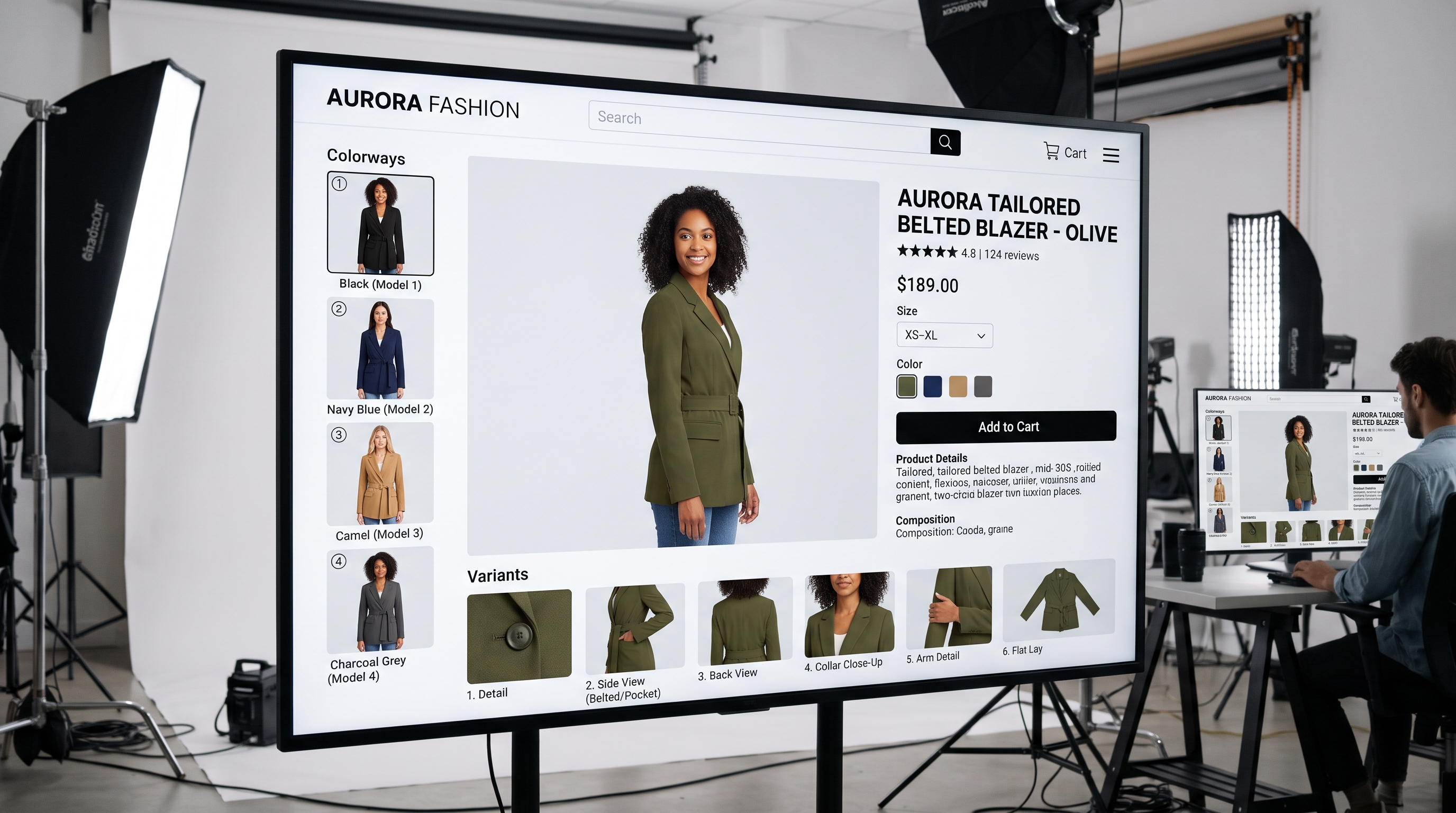
Different retail channels impose strict formatting rules. Converting 3d garment renders into marketplace images means adapting aspect ratios, background colors, and resolution thresholds without manual cropping errors. Automated transformation pipelines ensure that a single validated 3D simulation generates compliant assets for Shopify, Amazon, Zalando, and regional marketplaces concurrently.
Pipeline Comparison: Traditional Photoshoots vs 3D Digital Twin Workflow
| Workflow Parameter | Traditional Sample Photoshoot | 3D Garment to PDP Pipeline |
|---|---|---|
| Time per SKU | 3 to 5 days (sample shipping + studio shoot) | Minutes (automated CAD-to-web rendering) |
| Colorway Expansion | Requires physical sample for every color | Generated instantly from digital fabric swatches |
| Consistency | Varies by photographer and studio lighting | Uniform PBR shaders and standardized studio rigs |
FlixStock transformation of 3D digital twins into publication-ready assets
FlixStock provides an end-to-end visual content engine for fashion retail that bridges digital design with commercial publishing. Rather than forcing catalog teams to manually operate complex rendering suites, FlixStock ingests garment data, applies brand-consistent styling and lighting, and delivers production-ready files across all web, social, and marketplace channels. Explore FlixStock to see how automated visual workflows scale apparel catalogs without extra photoshoots.
Measuring operational KPIs for 3D-to-PDP visual pipelines
To evaluate the success of a digital twin publishing workflow, catalog operations leads track three core metrics:
- Time-to-Publish: Reduction in hours spent per SKU from CAD completion to live PDP display.
- Asset Consistency: Variance in color delta and lighting temperature across seasonal catalog updates.
- Production Cost per SKU: Total operational expenditure compared against traditional studio photography and manual 3D rendering.