
FlixStock Catalog Studio — Flat Packshot to 3D Ghost Mannequin Transformation
Converting static supplier packshots into professional 3D ghost mannequin assets is essential for high-volume fashion catalogs. This guide explains how ecommerce production leads automate silhouette extraction, collar reconstruction, and volume generation across thousands of SKUs without physical reshoots.
- Understand the structural differences between flat packshots and hollow 3D ghost mannequin photography.
- Master the automated step-by-step workflow to convert packshot to ghost mannequin at scale.
- Resolve missing inner neckline details using automated neck join technology.
- Explore how FlixStock automates multi-SKU visual pipelines.
How do catalog teams convert supplier packshots into 3D ghost mannequin assets without booking a physical studio reshoot? To successfully convert packshot to ghost mannequin imagery, production pipelines must extract garment silhouettes, reconstruct the interior back collar, and generate structural volume. According to McKinsey & Company (2025), digital catalog efficiency and visual consistency directly influence online conversion rates across multi-brand retail channels.
What is the difference between a flat packshot and a ghost mannequin asset?
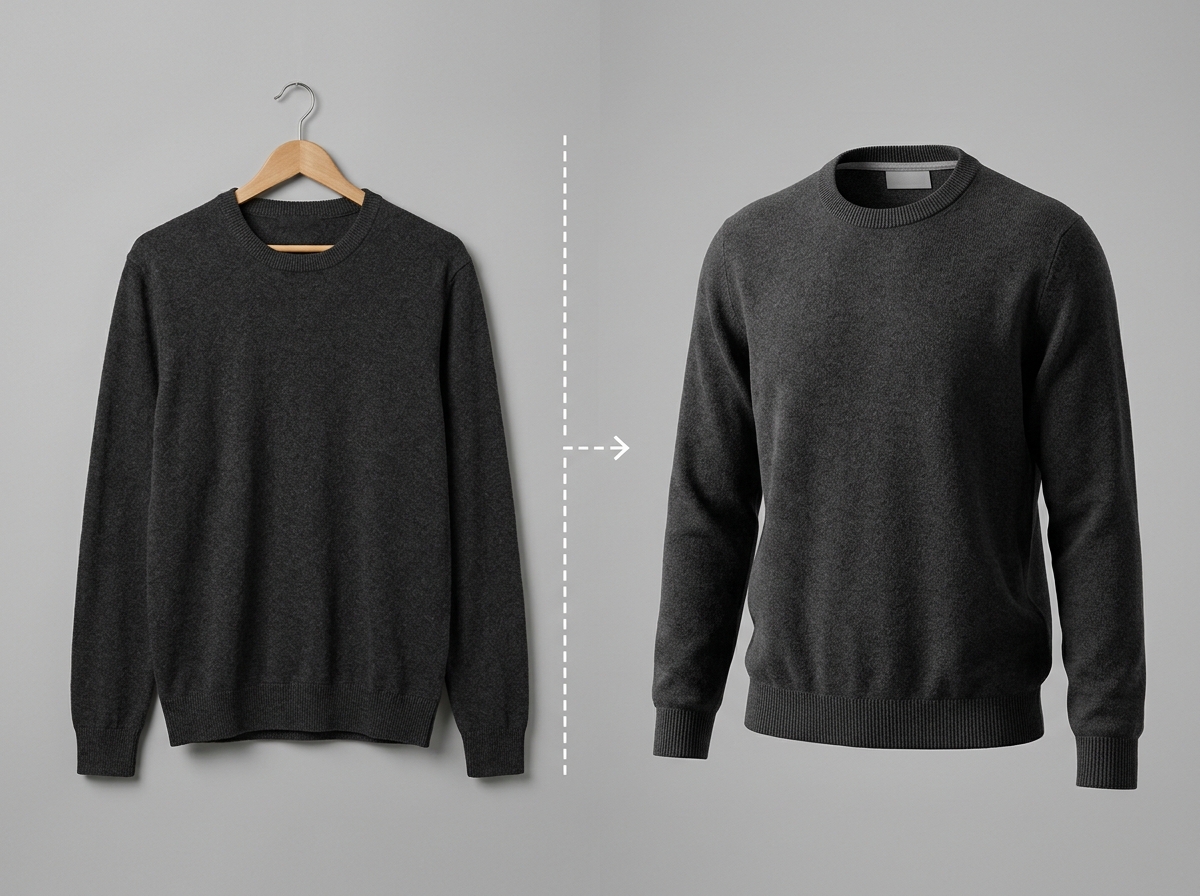
A flat packshot or hanger photograph captures apparel laid flat or hung on a basic wire form, resulting in a two-dimensional appearance devoid of internal depth. By contrast, a ghost mannequin (or invisible mannequin) asset creates a hollow, three-dimensional illusion where interior collar labels, back necklines, and natural garment curvature are fully visible. Shoppers evaluate fit and drape much more accurately when internal structure is preserved.
Step-by-step workflow for converting packshots to ghost mannequin images
Scaling apparel visualization across thousands of supplier SKUs requires a systematic, automated pipeline. Relying on manual clipping paths in Photoshop creates massive post-production bottlenecks. An automated pipeline follows a rigorous four-stage sequence:
- Input Ingestion & Classification: Incoming supplier packshots or hanger photos are ingested and categorized by garment type, fabric weight, and colorway.
- Silhouette & Background Extraction: Advanced AI background removal isolates the garment boundary while preserving delicate edge textures like lace, ribbed knit hems, and frayed denim.
- Internal Volume & Layer Separation: The system separates front and back panels, generating internal depth and structure to simulate a physical mannequin form.
- Collar Assembly & Quality Control: The interior neck region is synthesized or stitched from reference angles to complete the hollow 3D presentation.
How do you handle missing inner collars and neck joins automatically?
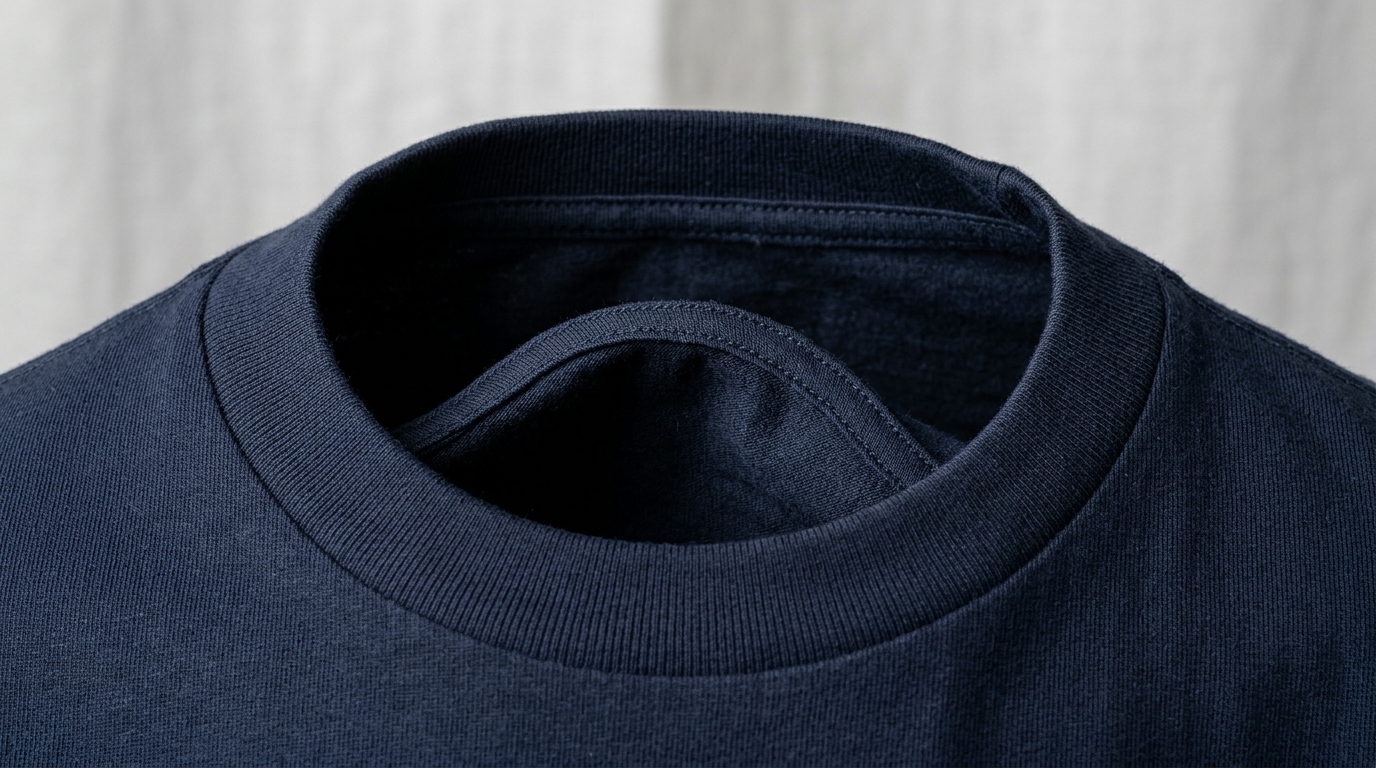
The single biggest failure point when attempting to convert packshot to ghost mannequin assets is the missing back collar. Because a hanger photo or flat lay only shows the front neckline and facing, the inner back collar and brand label remain hidden. A common misconception is that simply clipping a packshot background creates a true ghost mannequin effect. Without interior collar reconstruction, the result is flat and unnatural. Automated neck join algorithms solve this by extracting back-collar components from secondary supplier shots or synthesizing anatomically correct necklines matched to the garment’s exact collar ribbing and fabric texture.
How to maintain fabric texture and drape during automated volume generation
High-volume batch conversion often degrades delicate fabric textures, flattening fine knits, silk sheen, or heavy wool weaves. Maintaining tactile realism requires deep neural networks trained specifically on apparel construction. According to Coresight Research (2024), maintaining visual fidelity across digital catalogs reduces customer hesitation and return rates caused by inaccurate texture representation. Automated systems preserve micro-shadows, lighting direction, and fabric tension during the transition from 2D flat lay to 3D hollow form.
| Feature | Physical Mannequin Reshoot | Automated Ghost Mannequin Workflow |
|---|---|---|
| Production Speed | 15–20 SKUs per photographer/day | Thousands of SKUs per batch (Bulk AI) |
| Input Requirement | Physical garment sample in studio | Supplier packshot, flat lay, or hanger photo |
| Inner Collar View | Captured physically on form | Automated neck join & back collar synthesis |
| Cost per SKU | High studio, model, and labor overhead | Fraction of traditional post-production cost |
How FlixStock automates packshot conversion at catalog scale
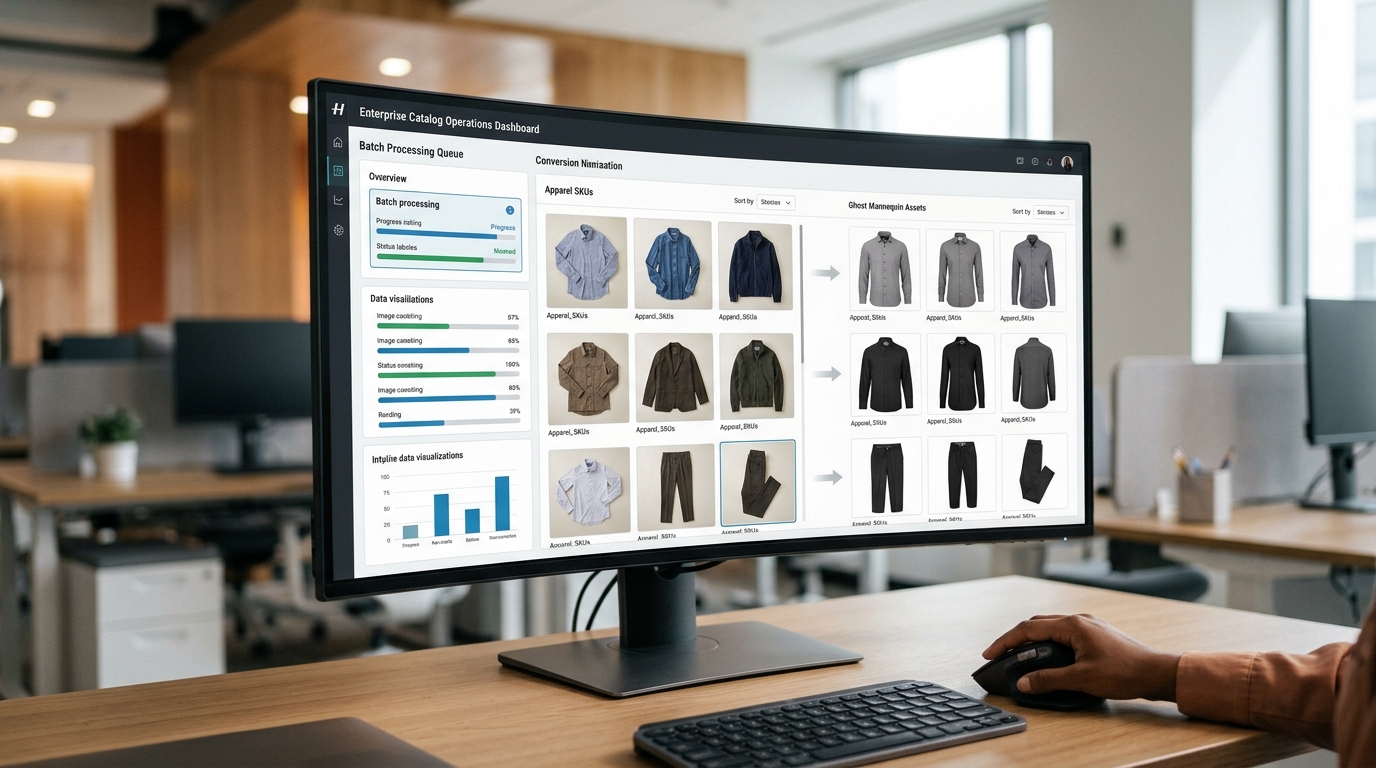
For catalog managers handling thousands of incoming supplier SKUs, manual post-production is unsustainable. FlixStock provides a comprehensive visual content engine that ingests flat packshots, hanger photos, or tech packs and outputs consistent 3D ghost mannequin assets, on-model views, and multi-market variants. By reading garment construction, fabric drape, and color specifications, the system delivers production-ready PDP assets instantly. Explore capabilities on the FlixStock showcase.
What metrics matter when evaluating automated ghost mannequin pipelines?
When migrating from manual clipping and retouching to automated bulk pipelines, production teams monitor specific operational KPIs. Processing turnaround time drops from days to minutes per batch. Consistency scores measure alignment of lighting angles, collar depths, and shadow drop across entire seasonal categories. Crucially, successful pipelines maintain color accuracy and texture preservation to prevent product page bounce.